Audi Works Audio Services
Quality sound installation and repair for your car, home, and classic equipment.
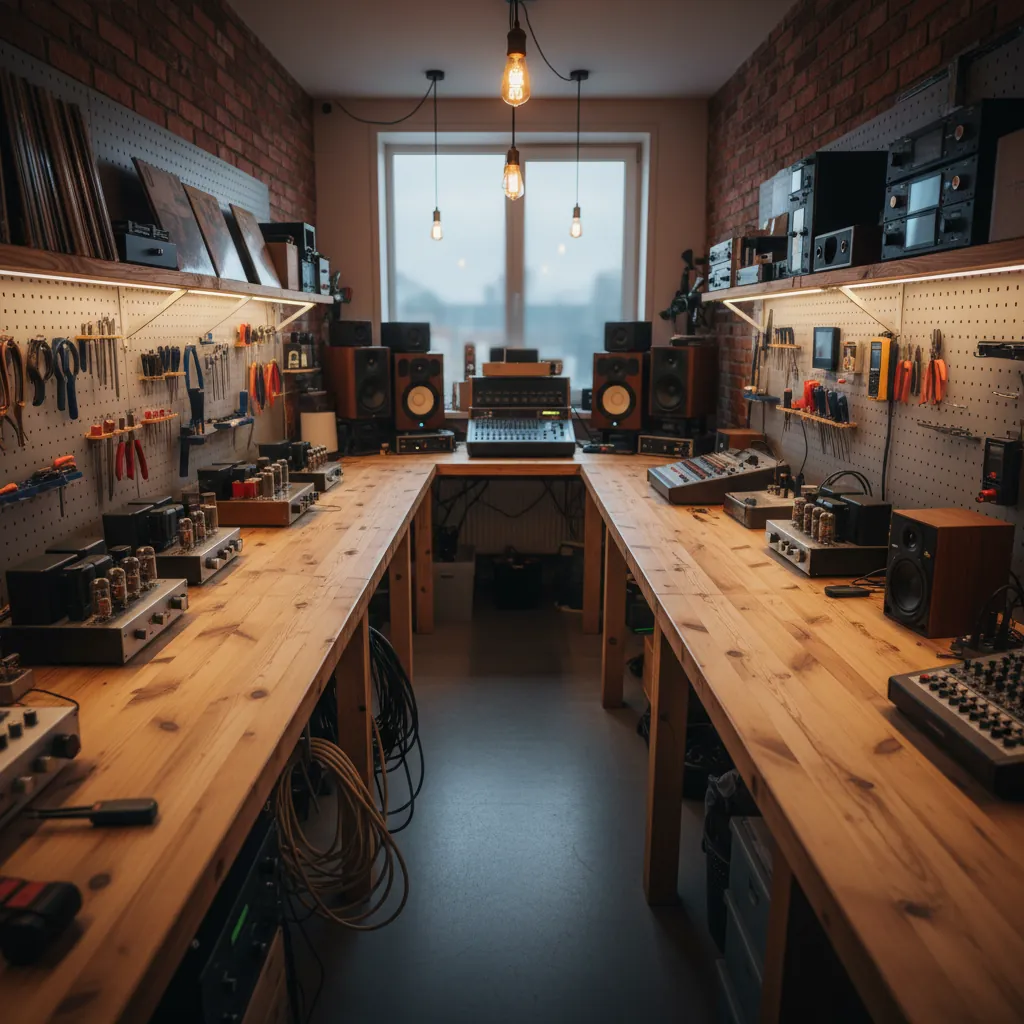
Welcome to Audi Works
We're a small family workshop based in Guildford, Surrey, offering honest audio installation and repair services. My father started tinkering with car stereos in his garage back in 2008, and what began as weekend projects for friends has grown into a proper business. Now it's the two of us, along with my younger brother who handles the vintage equipment restorations.
We work on everything from factory car audio upgrades to full custom installations, home speaker repairs, and bringing old amplifiers and turntables back to life. Most of our customers come through word of mouth, which suits us fine. We'd rather spend time getting the job right than chasing the next big sale.
What We Do
Our workshop handles three main areas. Car audio is our bread and butter—installing head units, upgrading speakers, fitting subwoofers, soundproofing doors, that sort of thing. We work with most makes and models, though we see a lot of VWs, Audis, and BMWs because of the local area.
Home audio is the second side of things. We repair blown speakers, replace worn-out woofer surrounds, fix crackling amplifiers, and help people get their old hi-fi systems working again. It's satisfying work, especially when someone brings in a system they've had since the eighties and we can get it sounding decent again.
The third part is vintage restoration. My brother trained as an electronics technician and has a proper knack for bringing old gear back from the dead. Turntables, tape decks, valve amplifiers—if it made sound thirty or forty years ago, he can usually sort it out.
Car Audio Installation
Most people come to us when they want better sound in their car but don't want it looking like a teenager's modified hatchback. We focus on clean, factory-looking installs that improve the sound without covering the interior in LEDs or making the boot unusable.
A typical job might be replacing factory speakers with something better, adding a small amplifier under a seat, and perhaps a compact subwoofer that doesn't take up half the boot. We source parts from reliable suppliers and fit everything properly—no wires hanging loose or panels that rattle afterwards. Jobs usually take a day or two depending on what's involved. We'll give you an honest estimate before starting, and if we find something that'll cost more, we'll ring you before going ahead.
Repair and Restoration
The repair side keeps us busy. Speakers develop problems over time—surrounds perish, voice coils seize up, cones tear. We can often repair these rather than replace the whole unit, which saves money and keeps perfectly good equipment out of the skip.
Amplifiers and receivers are another common repair. Crackling controls, dead channels, blown capacitors—most of these issues are fixable if the circuit boards aren't too far gone. We'll test everything properly and let you know if a repair makes sense or if you'd be better off replacing it.
Vintage gear needs special attention. Components from the seventies and eighties weren't built to last forever, and things like electrolytic capacitors dry out over decades. We replace these with modern equivalents, clean switches and contacts, adjust tracking on turntables, and align tape heads. It takes time, but when you hear a forty-year-old amplifier working like it did when it was new, it's worth the effort.
How We Work
We're appointment-only, which means you're not turning up to find us busy with three other people. Book a time, come in, we'll have a proper chat about what you need. For car work, you can drop the vehicle off in the morning and we'll ring you when it's ready. For home equipment, bring it to the workshop or we can collect it if it's too heavy or awkward.
Estimates are free and honest. If we think something isn't worth repairing, we'll say so. If a cheaper option will do the job just as well, we'll suggest it. We've been doing this long enough that we don't need to oversell—there's always more work coming in from people who appreciate straightforward advice.
Pricing and Timeframes
Car audio installations start around £150 for basic speaker upgrades and go up depending on what you want fitted. A full system with amplifiers and subwoofers might be £800–£1,500 including parts and labour. We'll give you a proper breakdown before starting.
Repairs are usually charged at £45 per hour plus parts. Simple jobs like re-foaming a speaker might be £30–£50 total. More involved amplifier repairs can be £100–£200 depending on what needs doing. Vintage restorations vary widely—a basic turntable service might be £80, while a full amplifier rebuild could be £250 or more. We always provide an estimate and won't go over it without checking with you first.
Most jobs are completed within a week. Car installations are typically one or two days. Repairs depend on parts availability, but we keep common components in stock. If we need to order something specific, we'll let you know how long it'll take.
Get in Touch
The easiest way to reach us is by email or phone. We're in the workshop Tuesday to Saturday, usually between 9am and 5pm. If you want to pop in, please ring first so we can make sure someone's available to talk properly.
We're located just off the A3 in Guildford, with parking right outside the workshop. If you're bringing in equipment or want to discuss a car installation, it's worth booking half an hour so we can go through everything without rushing.
Contact
- Unit 7, Riverside Trading Estate, Guildford, Surrey GU1 4YN
- 01483 765432
- [email protected]